A private scanner, PDF utility with a sense of time & security

Paper has a

deadline.

Scanner, PDF Utils, Reminder & Vault

Passports lapse. Policies renew. Cards expire. PaperKeep scans your paperwork, reads the dates on it, and counts down so you never find out the hard way.

Download on the App Store Get it on Google Play Releasing soon
See the app
ON-DEVICE BIOMETRIC LOCK CLOUD SYNC $4.99 1ST YR · $0.99/MO
214 DAYS LEFT
Passport
P<USAKEEP<<PAPER
EXPIRES 10 JAN 2027
The clock

Every document gets a countdown.

Most scanner apps file your paperwork and forget it. PaperKeep is built around the one thing paper does that files don't: it expires.

Day one

You scan it once

Two taps and the page is a clean PDF. PaperKeep reads the dates on it, even a passport's machine-readable zone, and starts the clock. Detected it wrong, or no date to read? Set it yourself in a tap.

Expiry found: 10 Jan 2027
6 · 3 months

It taps you on the shoulder

Gentle reminders arrive with time to act: enough lead to renew a passport or shop a better policy, not a panicked weekend at the post office. You choose the lead times.

Reminder: renew before summer travel
1 month

Urgent floats to the top

Anything close to lapsing surfaces first, on your Home screen and in Upcoming, sorted by urgency. Overdue items stay pinned until you deal with them.

Passport: 28 days left
Renewed

You mark it renewed

One tap resets the clock for the new document. The old scan stays in its folder, so the history of every renewal lives with the paper itself.

Clock reset to 2037
The desk

Thirteen tools. One tidy drawer.

Everything you actually do with paperwork, and nothing you don't.

Sign

Sign it without printing it

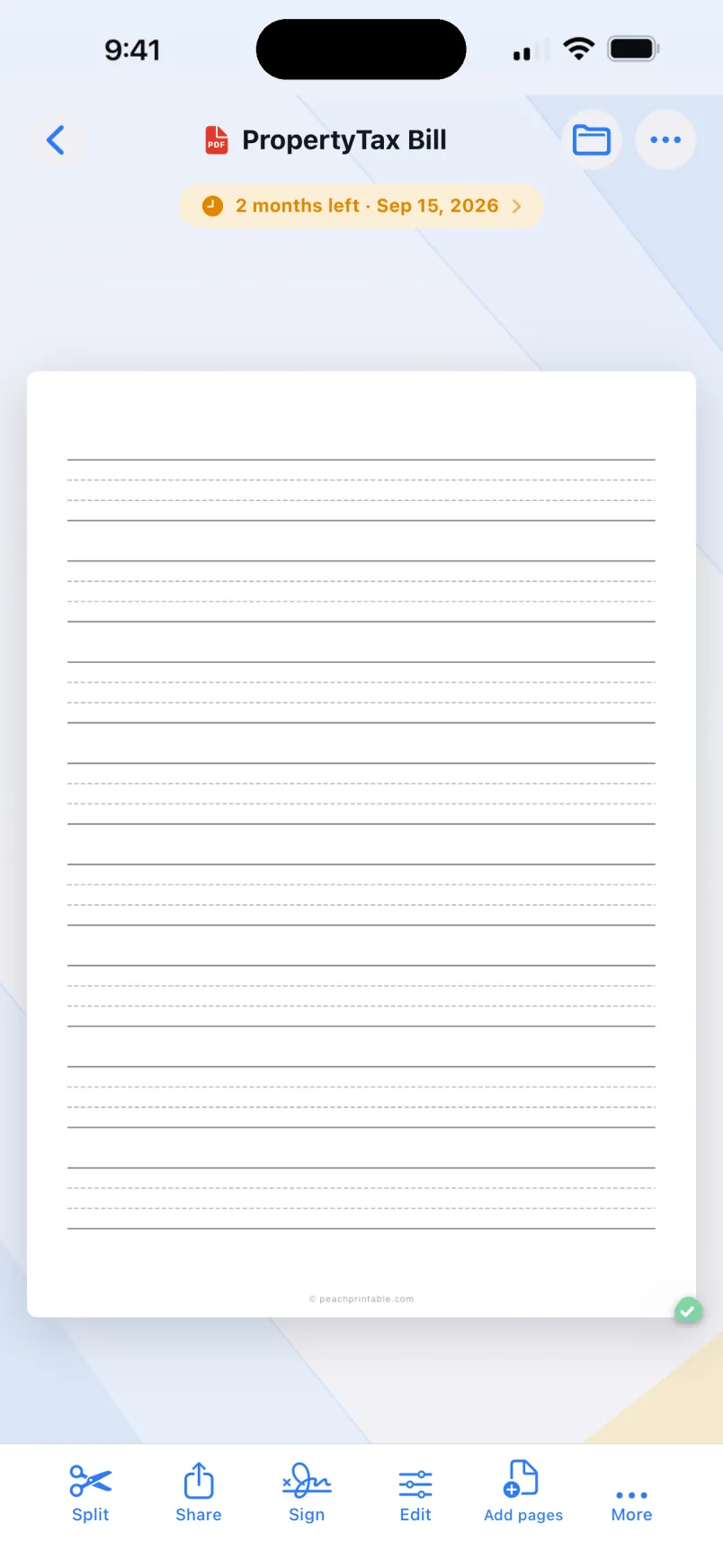
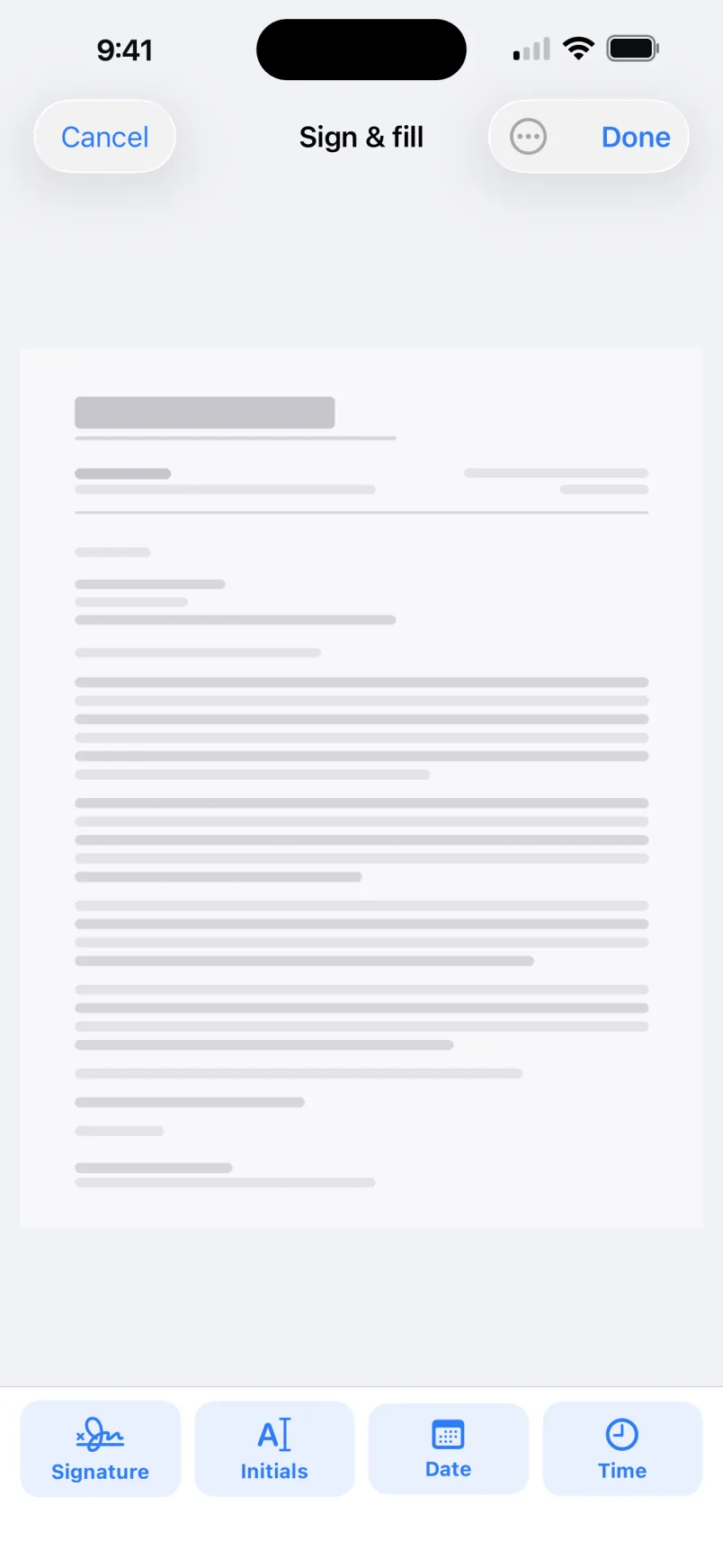
The moment a form needs a signature, add one right on the page. No printer, no scanner, no app-hopping. Sign, date, and send it back in seconds, all on your device.

Draw your signatureSign by hand with a fingertip or stylus.
AaType a name or initialsPick a clean script for a signature or initials.
Stamp date and timePrint today's date, and the time if you need it.
01

Reads the date. Watches the clock.

Reads expiry dates on what you scan, recognizes card types, and counts down so you renew in time.

02

Scan

Two taps from paper to a crisp, auto-cropped PDF. Receipts, letters, whole contracts.

03

Split & merge PDFs

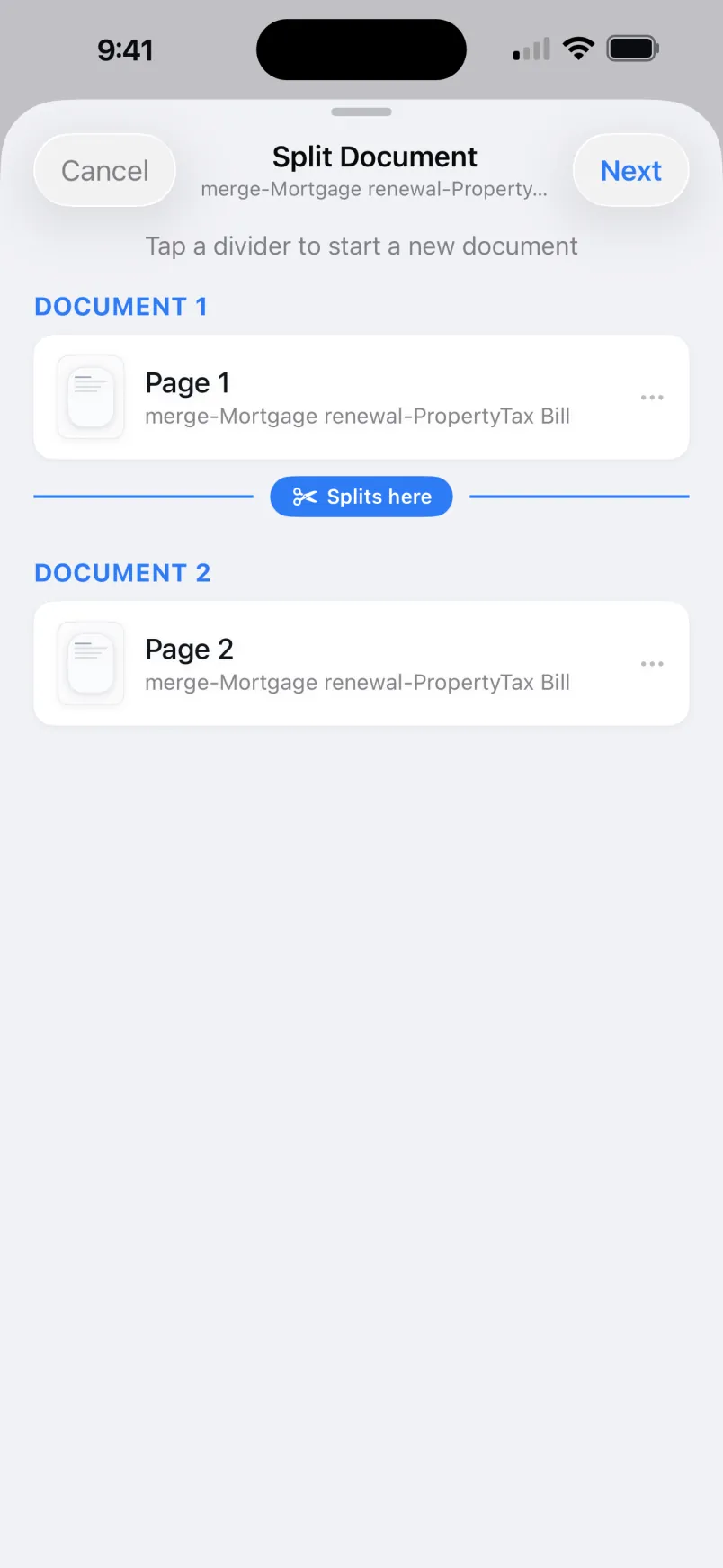
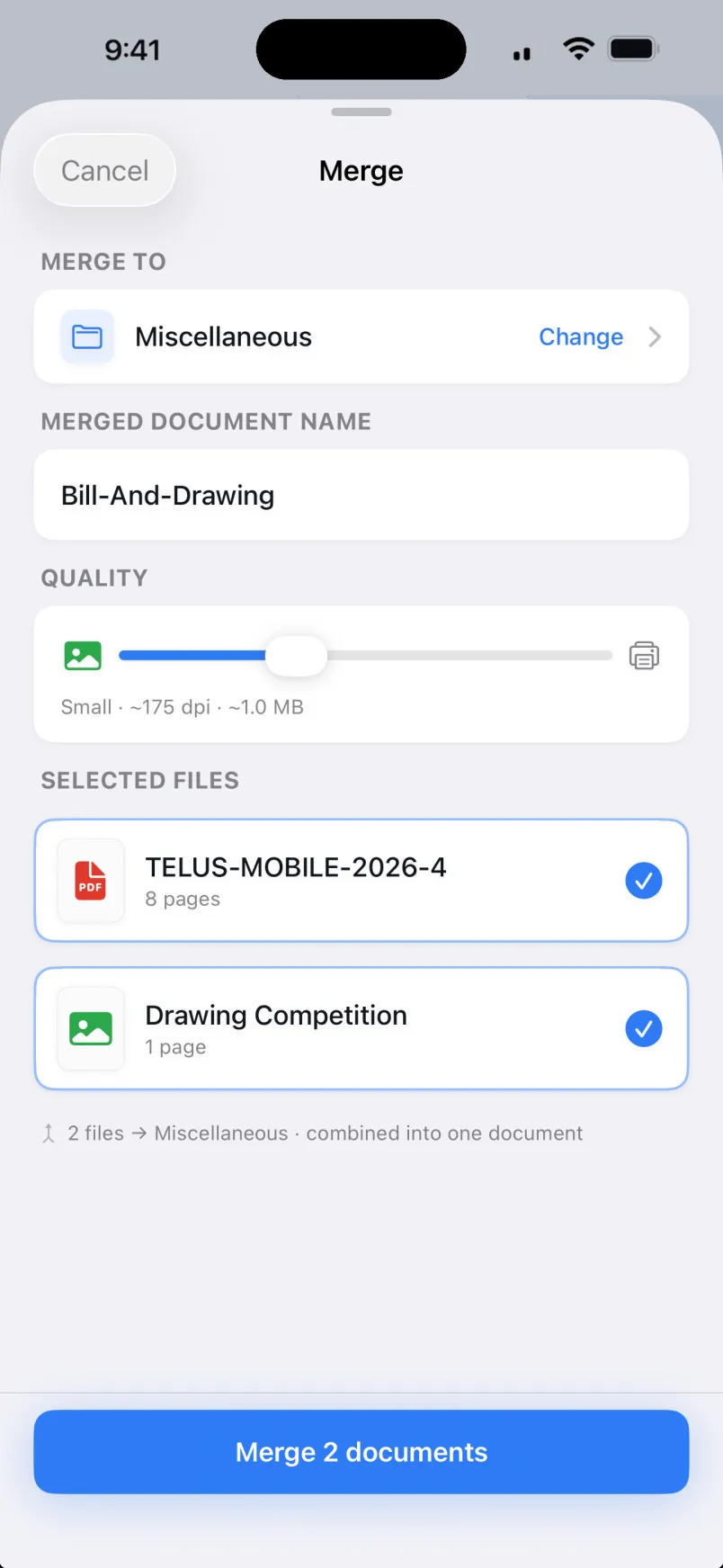
Pull pages out into their own document, or combine many into one and reorder freely.

04

Import

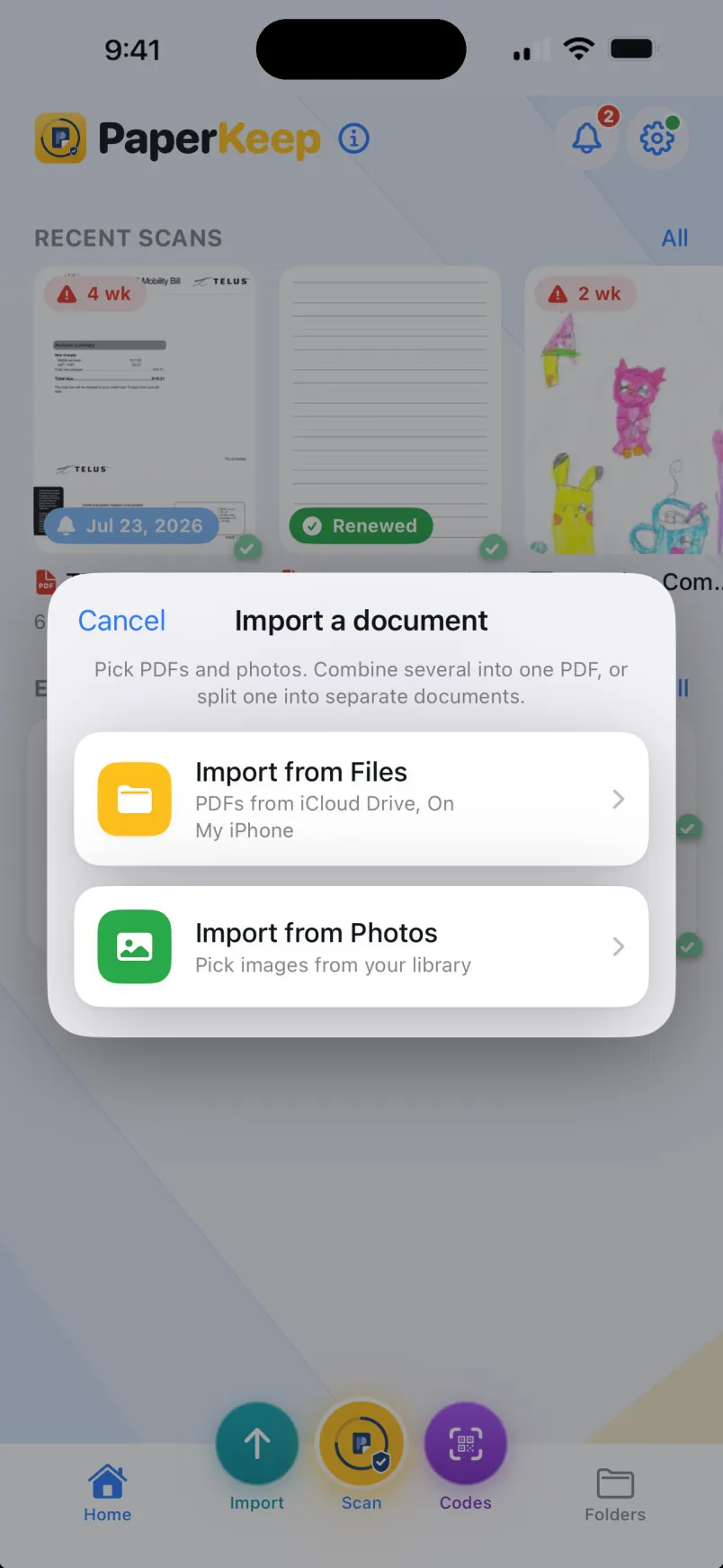
Bring in PDFs from Files and pictures from Photos. They join the same folders and the same clock.

05

Export both ways

Pictures become PDFs, and PDFs become images again, one page each. Pick the format when you share.

06

Convert to Word & text

Turn a scan or PDF into editable text or a Word document, all on your device. Tables come across as tables where it can read them.

07

Mark up & redact

Draw, highlight, and add notes or shapes on any page. Then black out anything private with a redaction baked into the saved copy, on your device.

08

QR & barcodes

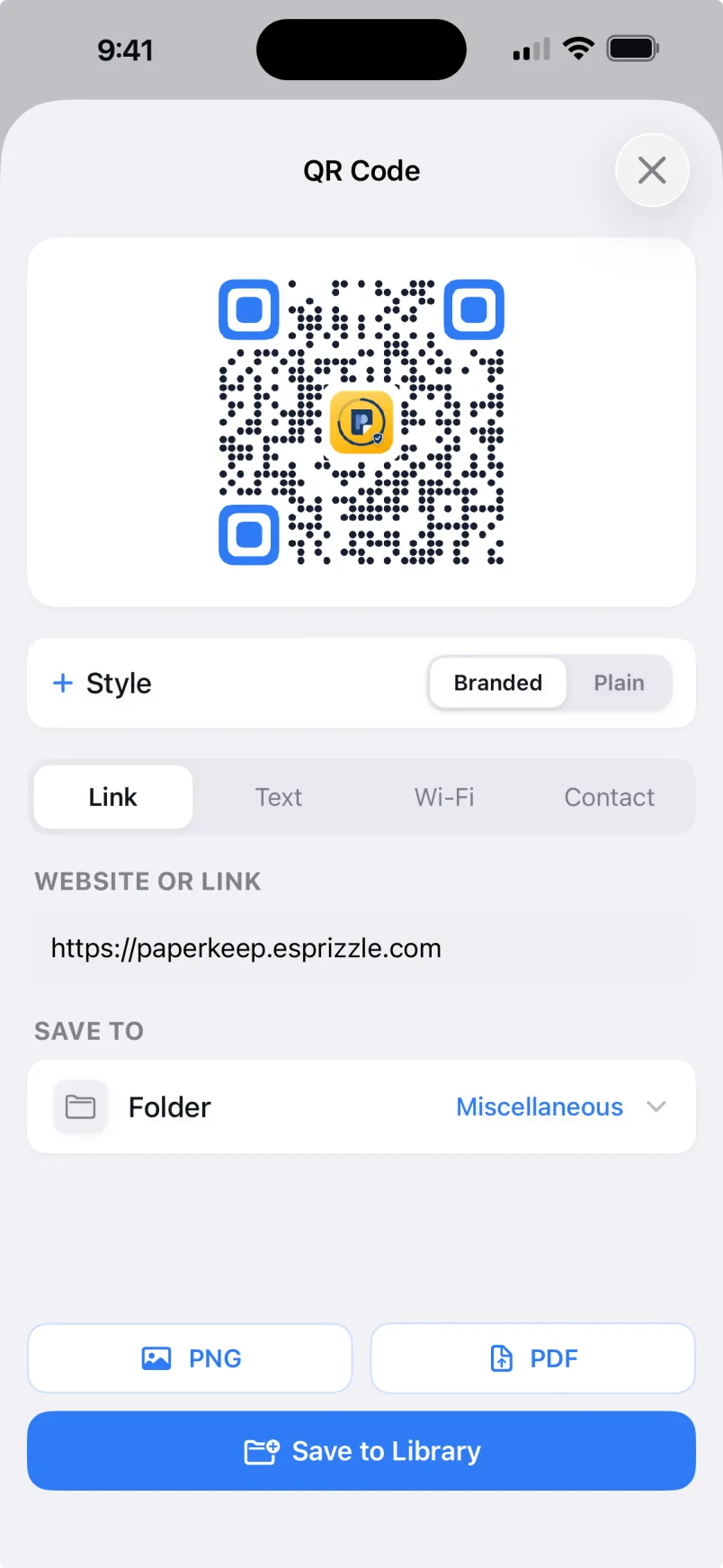
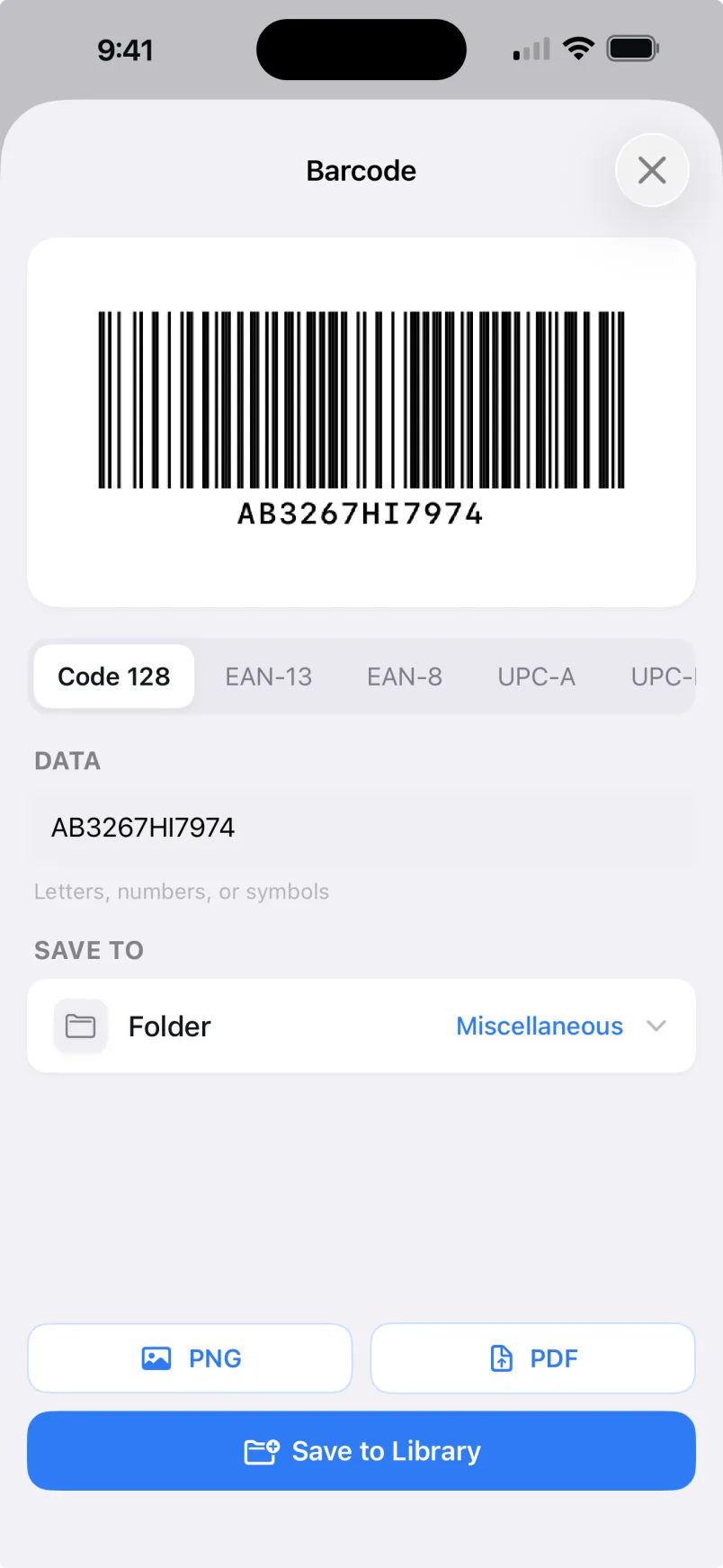
Generate a QR code, or most common barcode types, from a link, text, Wi-Fi, contact, or number. Save or export it.

09

Code scanner

Scan QR codes and 14 of 17 barcode types with the camera, or read one straight from any image.

10

Secure folders

Lock private papers behind Face ID or fingerprint. Encrypted at rest, hidden from search while locked.

11

Business card to contact

Point the camera at a business card. PaperKeep reads the name, company, phone, email, and website, and hands you a contact ready to save. No retyping, all on your device.

12

Cloud sync

Optional sync keeps your phone and tablet on the same page, encrypted in your own cloud account.

The proof

Enough metaphors. Here is the app.

Rings and ledgers are how PaperKeep thinks. These are the screens where you'll actually live, shown here on iPhone (Android looks right at home too).

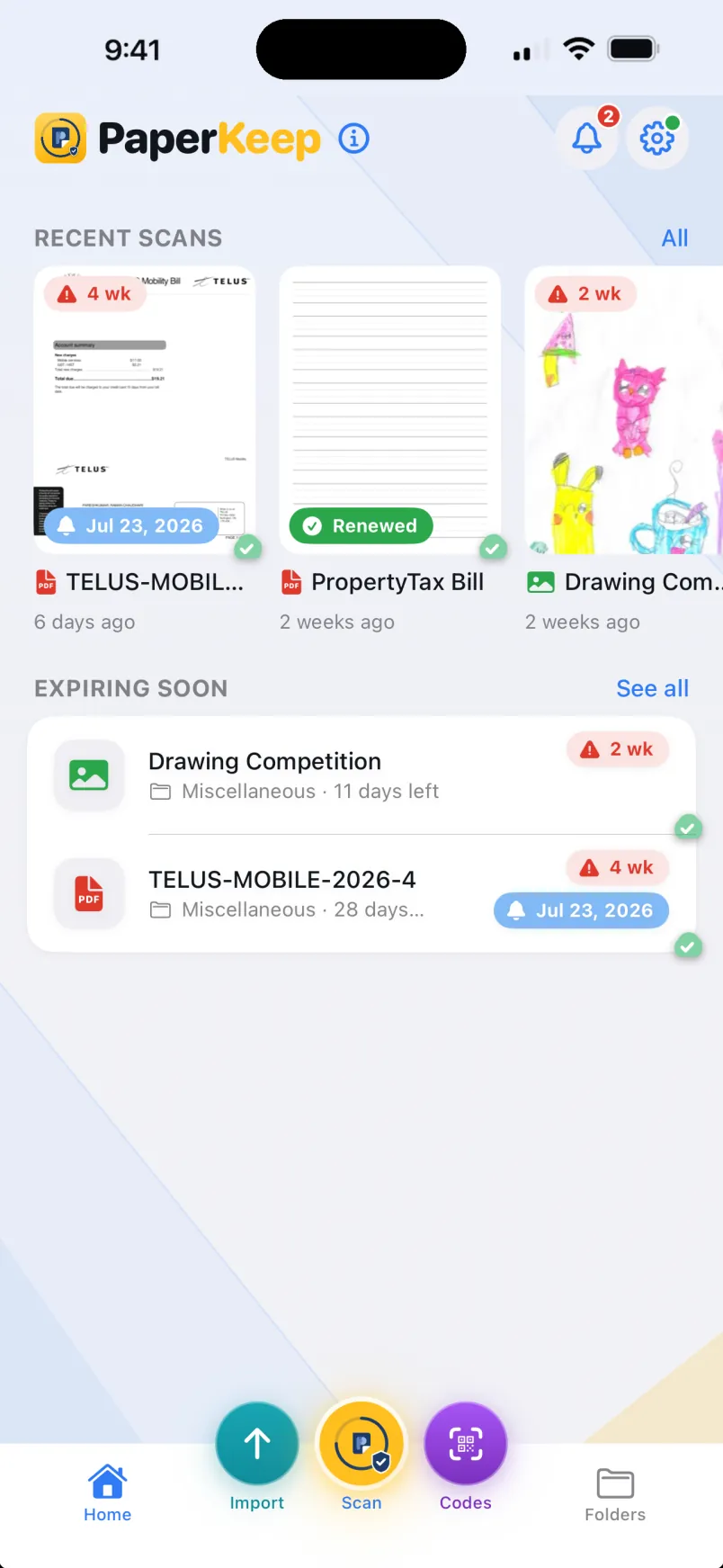
PaperKeep home screen showing recent scans and documents expiring soon
9:41
PaperKeep
RECENT SCANS All
3 wk
Painting competit…
9 minutes agoJun 15
1 mo
Phone Bill
13 minutes agoJul 7
EXPIRING SOON See all
Painting competition sub… Drawings · 18 days l…Jun 15 3 wk
Phone Bill Bills · 1 month leftJul 7 1 mo
Driving License Personal IDs · 18 m…Nov 18 18 mo
Import does more Combine PDFs into one, or split pages into new documents as you import.
Home Scan Import Codes Folders
Fig. 01The shelf

Home keeps every countdown in view: recent scans up top, whatever expires next right under your thumb.

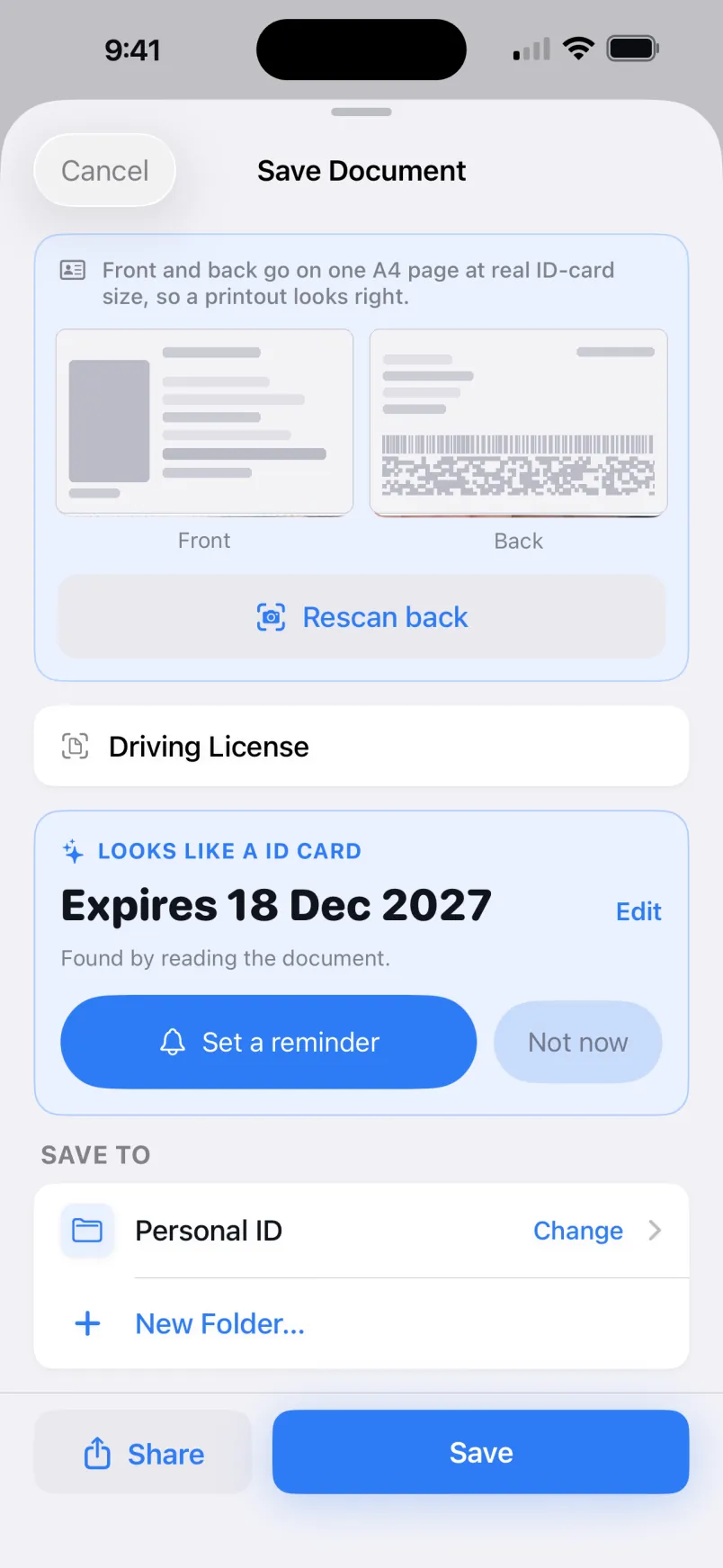
Saving a scanned ID card in PaperKeep with the expiry date found automatically
9:41
Cancel Save Document
Driving License
LOOKS LIKE A ID CARD
Expires 18 Dec 2027 Edit
Found by reading the document.
Set a reminder Not now
SAVE TO
Personal IDs Change
New Folder…
Format PDF JPG
Share Save
Fig. 02The read

Save a scan and the expiry is already filled in, read on your device. Confirm it, or fix it in a tap.

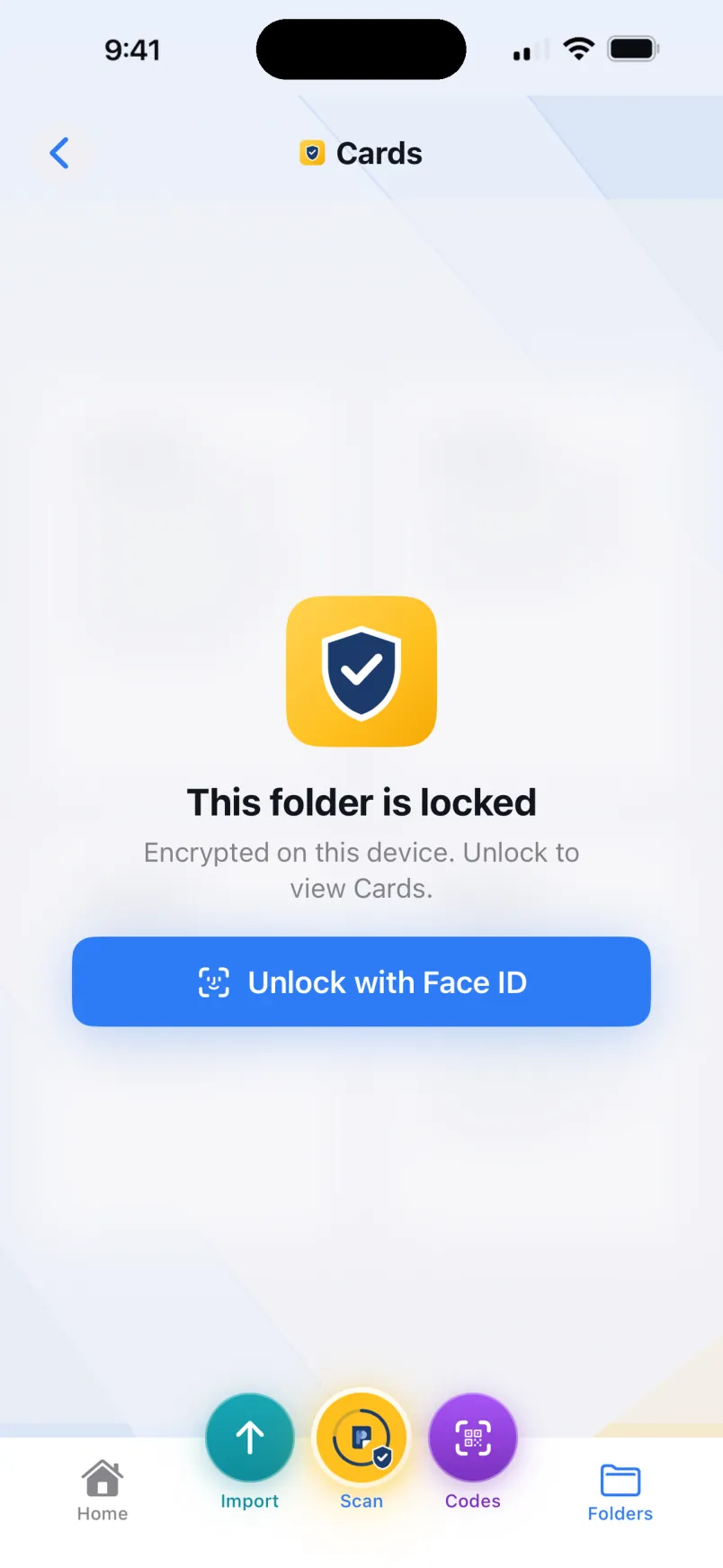
A locked, encrypted folder in PaperKeep prompting to unlock with Face ID
9:41
Personal IDs
This folder is locked
Encrypted on this device. Unlock to view Personal IDs.
Unlock with Face ID
Home Scan Import Codes Folders
Fig. 03The lock

A secure folder stays sealed until Face ID agrees it is you. While locked, its papers stay out of search.

EVERY PIXEL ABOVE IS RENDERED ON YOUR DEVICE. SO IS EVERY DOCUMENT.
PaperKeep vs Adobe Scan

About 14× less the first year.

The same everyday scans for about a coffee a year, no account, and files that never leave your device.

PaperKeep Adobe Scan Cost, first year $4.99 $69.99 Account required None Adobe ID Where files live On your device Adobe cloud

About 14× less your first year ($4.99 before Dec 31, 2026, then $7.99/yr or $0.99/mo, roughly 9× less each year after), and nothing to sign into. Adobe Scan figures are for Adobe Scan Premium, approximate, as of June 2026.

See the full comparison
The full tour

See everything it does.

From a quick scan to signed, split, coded, and synced. Here is the whole app, screen by screen.

Scan, refine & sign

Capture clean, then make it yours

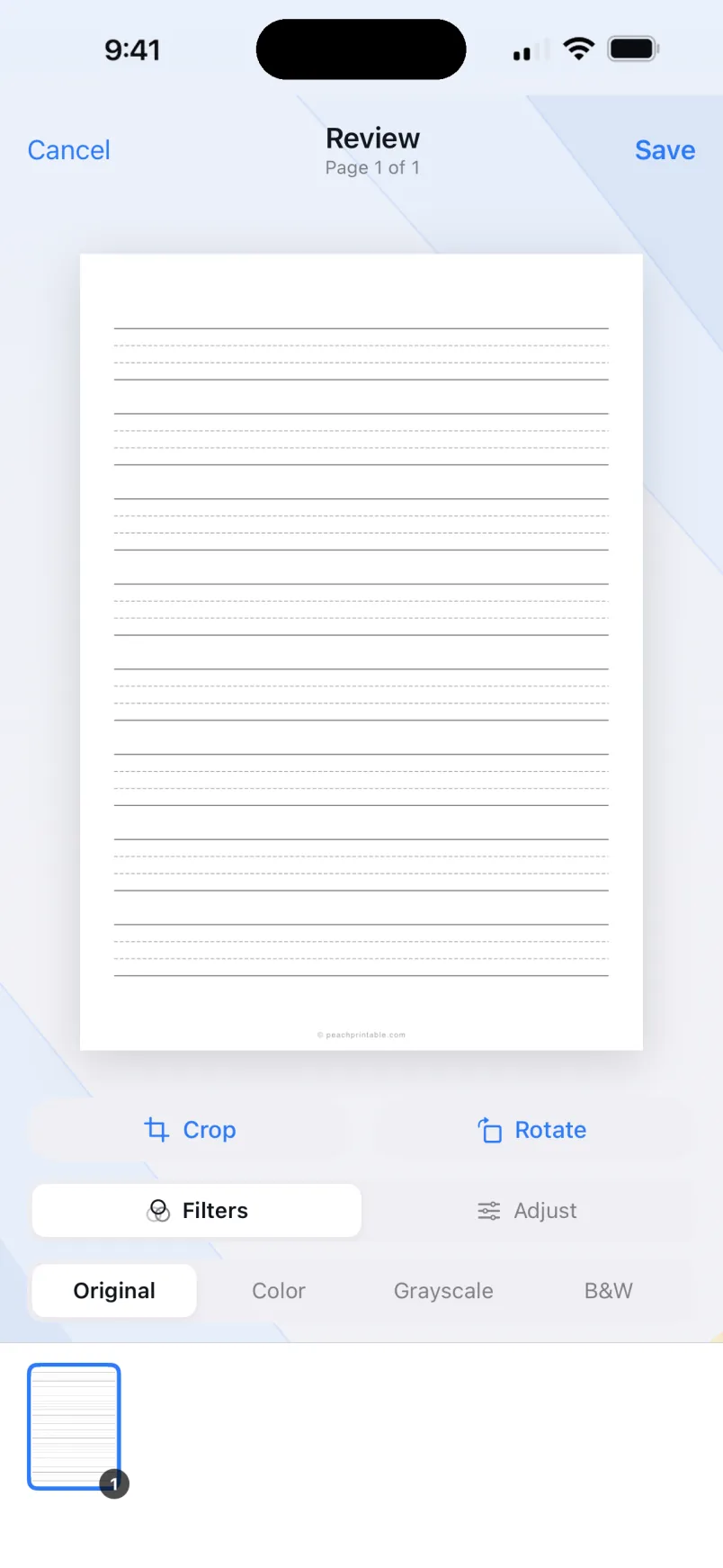
Reviewing and editing a multi-page scan with crop, rotate, and filter controls
Refine every pageCrop, rotate, and filter, page by page.
Document viewer with a full editing toolbar
A full editorSplit, crop, sign, edit, add pages.
Signing and filling a document with signature, initials, date, and time
Sign and fill in placeSignature, initials, date, and time.
PDF tools

Shape PDFs any way you need

Splitting a document into separate documents at a divider
Split a PDFTap a divider to start a new document.
Merging two documents into one with a quality slider
Merge into oneCombine files and set the quality.
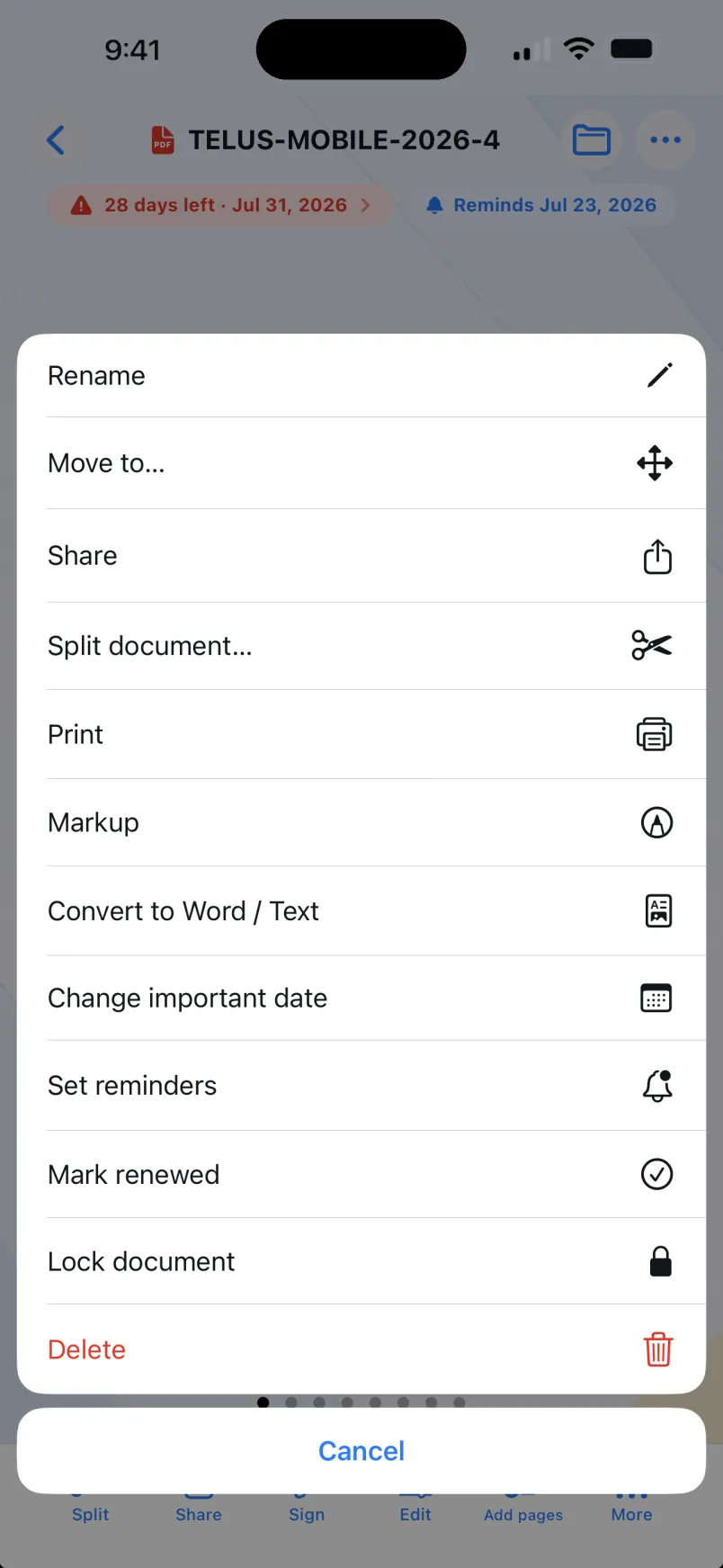
Document action menu with convert, print, lock, and more
Convert, print, lockEven export to Word or plain text.
Markup & redact

Mark it up, then black it out for good

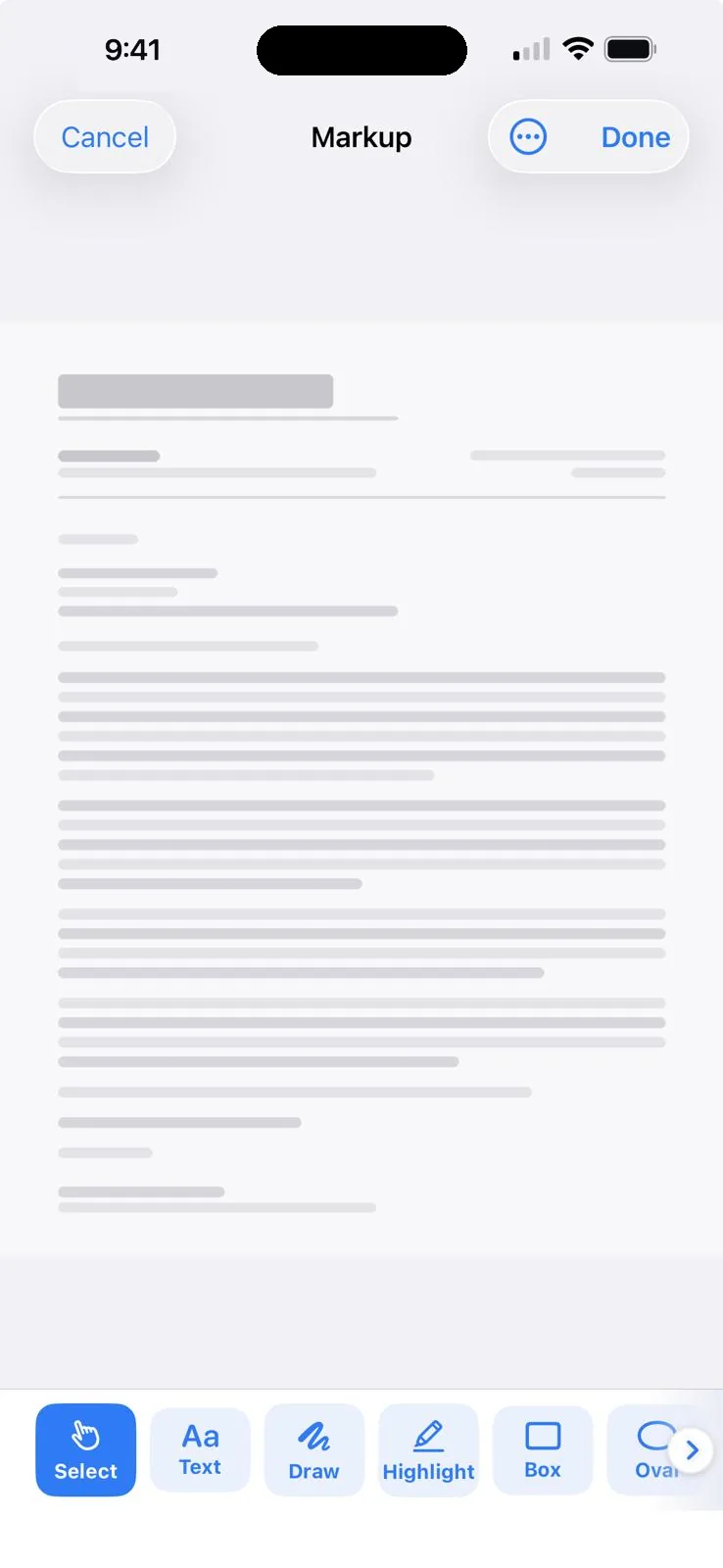
The markup editor with a full toolbar of pen, text, highlight, and shape tools
A full markup toolbarPen, text, highlight, shapes, and more.
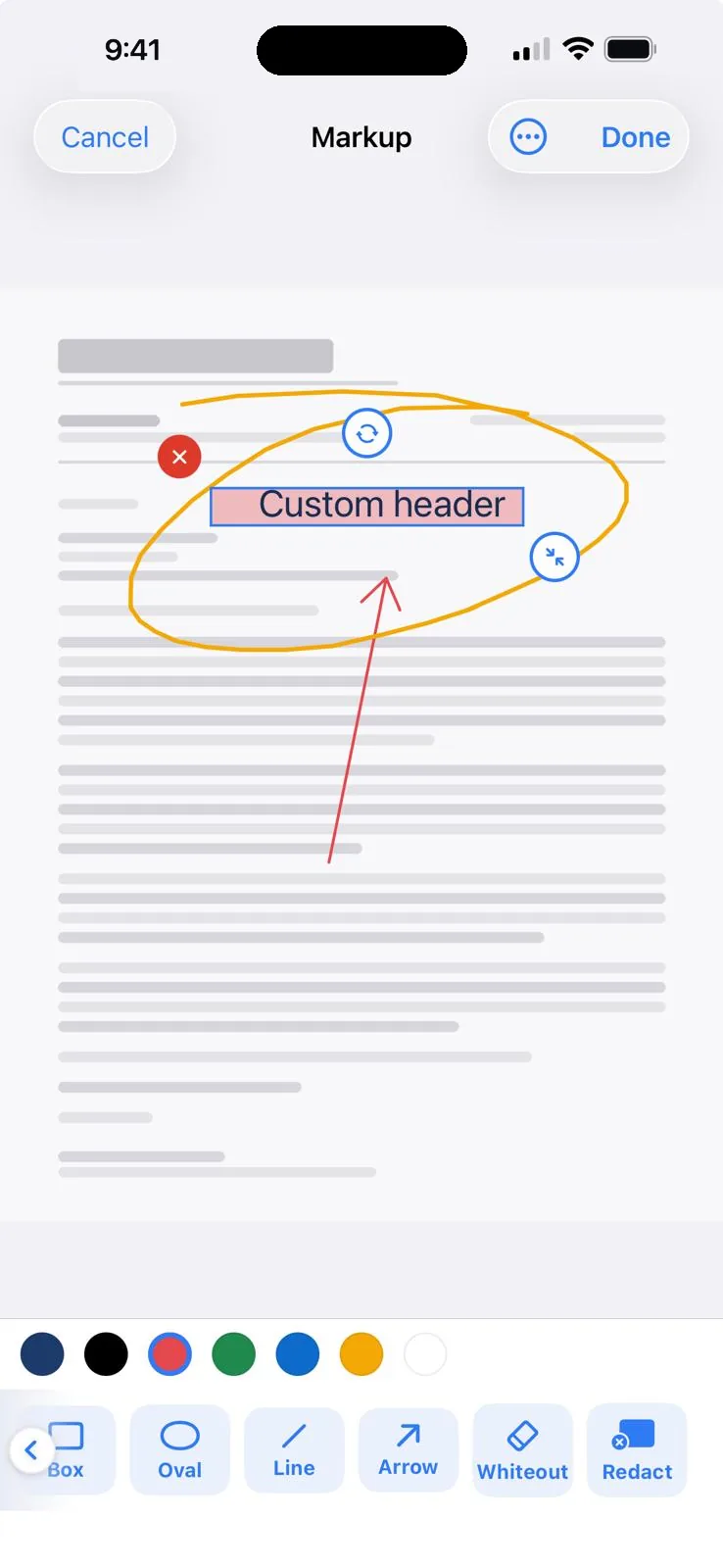
A page annotated with drawing, highlight, and notes
Annotate any pageDraw, highlight, arrows, and notes.
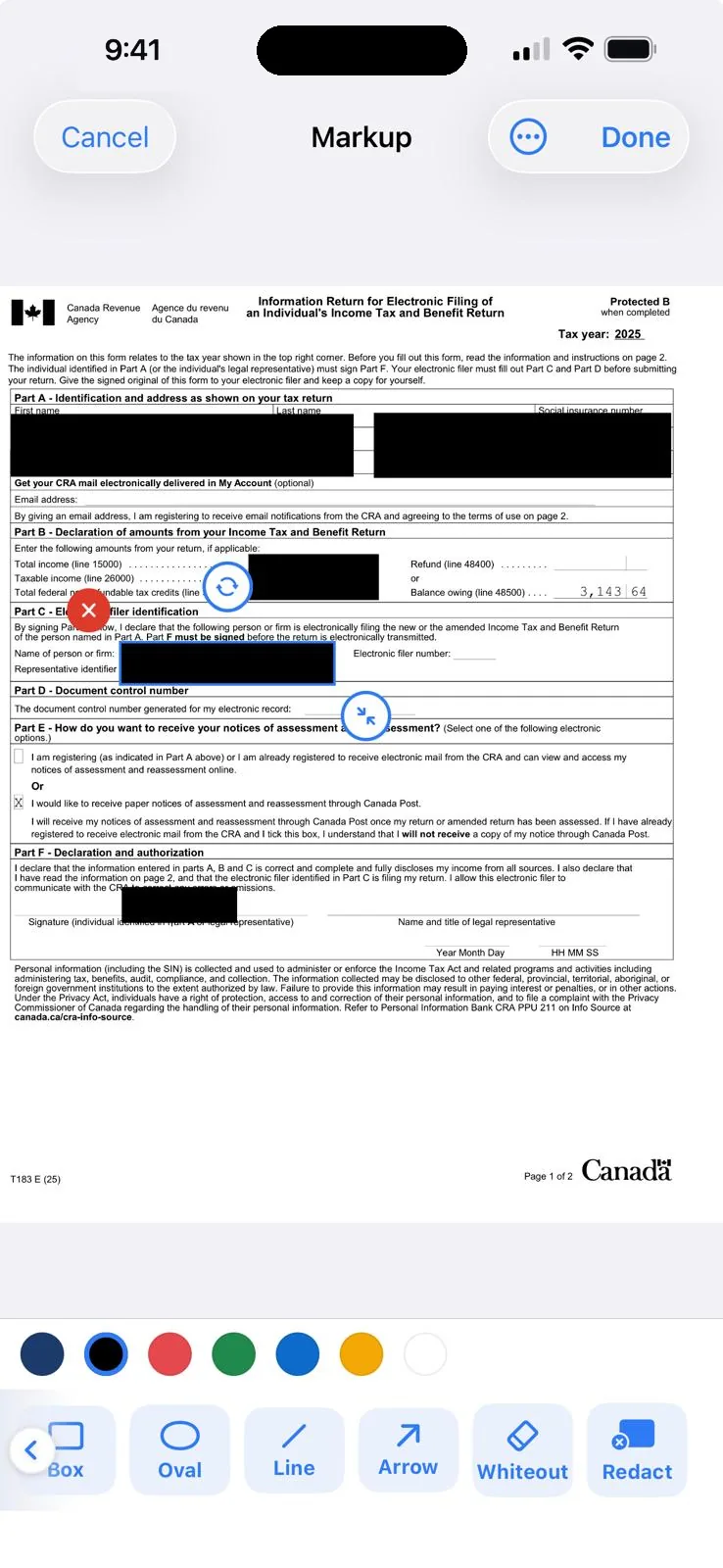
Redacting a detail on a page, blacked out and baked into the saved copy
Redact for realBlack out a detail, baked into the copy.
Codes

Make and scan codes, both ways

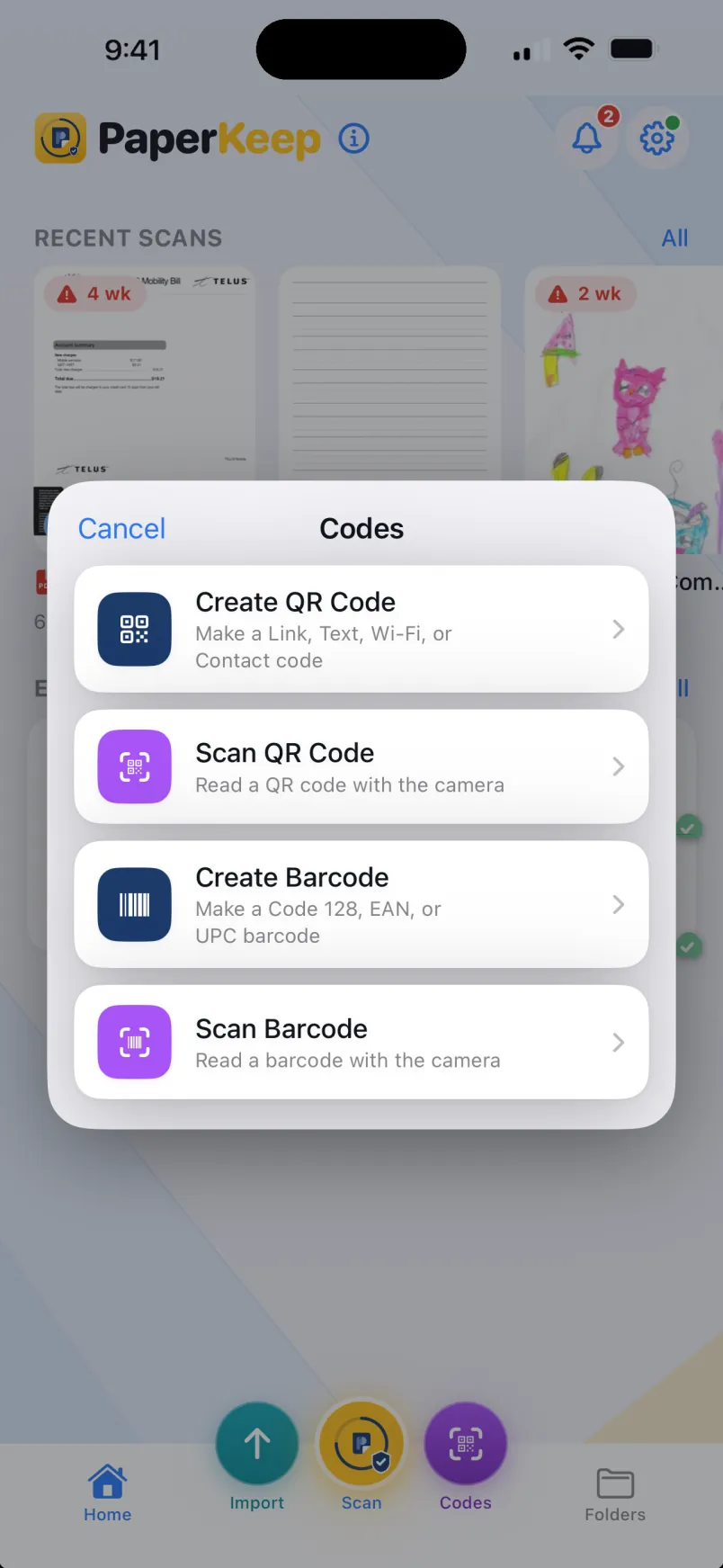
Codes menu to create or scan QR codes and barcodes
Create or scanQR codes and barcodes, in one place.
Generating a branded QR code from a link
Branded QR codesLink, text, Wi-Fi, or contact.
Generating a Code 128 barcode
Barcodes tooCode 128, EAN, UPC, and more.
Import, organize & sync

Bring it in, lock it down, sync it

Import a document from Files or Photos
Import anythingPDFs from Files, photos from your library.
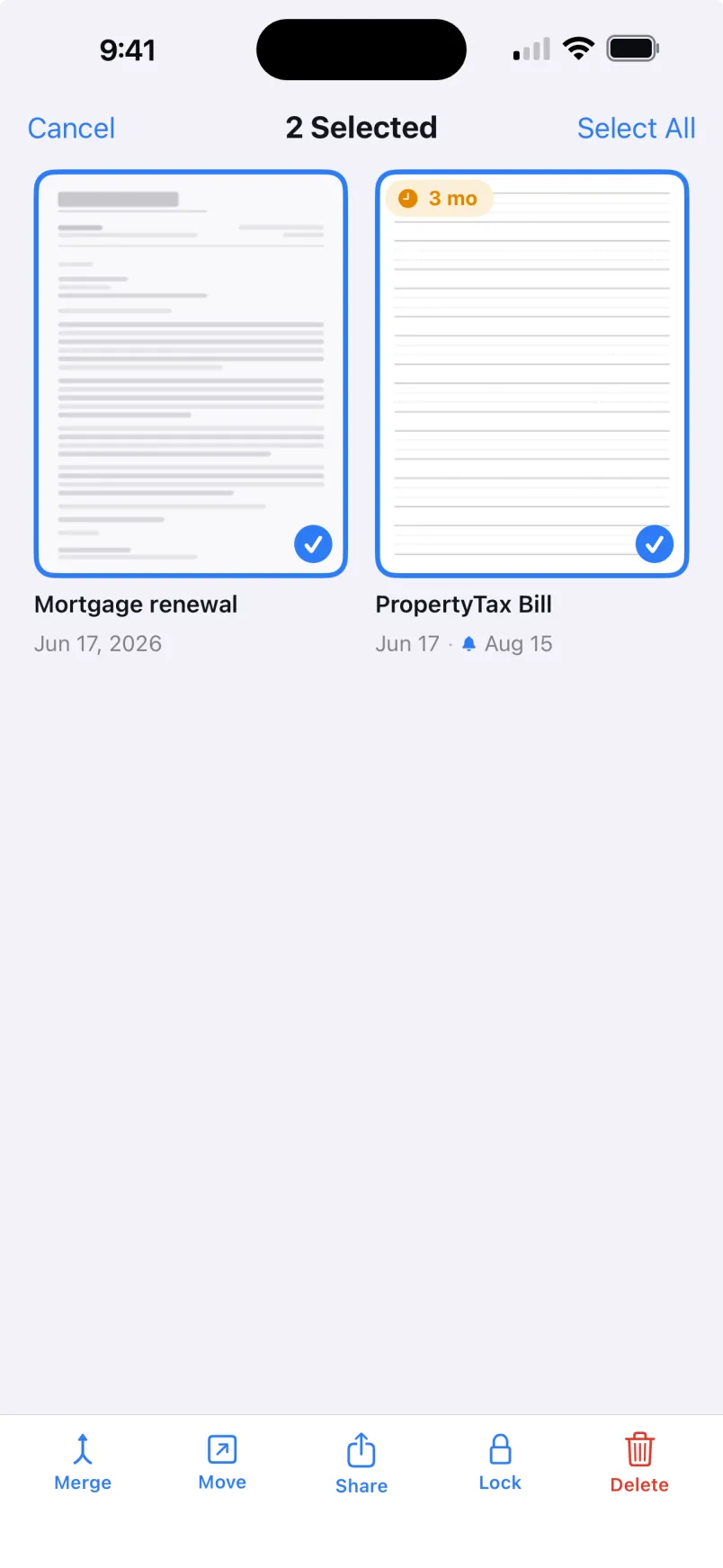
Multiple documents selected with merge, move, share, lock, and delete
Act in bulkMerge, move, share, lock, or delete.
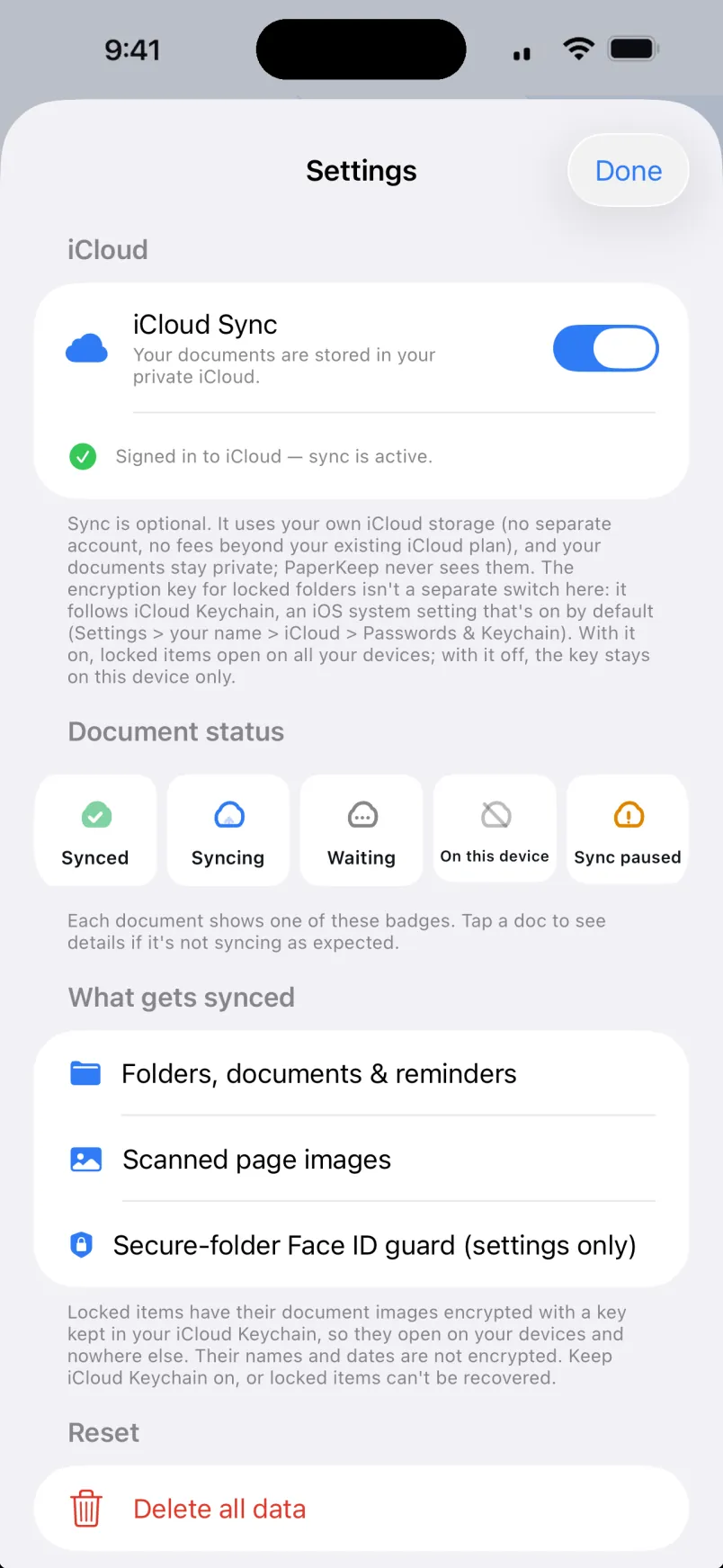
Settings showing private iCloud sync and document status badges
Private iCloud syncYour own iCloud, encrypted, optional.
The vault

A filing cabinet, not a cloud.

Your paperwork is the most personal data you own. PaperKeep treats it the way a locked drawer would, if a drawer could remind you about renewals.

StoredOn your iPhone, iPad, and Android device. Documents are never uploaded to us, because there is no us to upload to.
Read byYou, and Face ID or fingerprint. Date detection runs on the device, even for a passport's machine-readable zone.
CardsOnly the expiry date is kept. The card image and number are never written to disk.
AccountNone. Nothing to sign up for, nothing to track, nothing to leak.
The receipt

Fourteen days free.
Then a coffee a year.

Every feature is included from the first scan. If the trial ends and you don't renew, your files and folders stay fully viewable. Forever.

Download on the App Store Get it on Google Play Releasing soon

ON IPHONE & IPAD NOW, ANDROID SOON · CANCEL ANYTIME · NO ACCOUNT NEEDED · PRICES IN USD

PAPERKEEP PRO
ESPRIZZLE INC · PAPERKEEP.ESPRIZZLE.COM
FREE TRIAL (14 DAYS)$0.00
SCAN · IMPORTINCL.
EXPORT AS PDF OR IMAGESINCL.
CONVERT TO WORD & TEXTINCL.
SPLIT & MERGE PDFSINCL.
SIGN & FILL FORMSINCL.
MARKUP & TRUE REDACTINCL.
QR & BARCODES: MAKE & SCANINCL.
DATE + CARD DETECTIONINCL.
BUSINESS CARD TO CONTACTSINCL.
EXPIRY REMINDERSINCL.
BIOMETRIC SECURE FOLDERSINCL.
CLOUD SYNCINCL.
DUE TODAY$0.00
FIRST YEAR$4.99
THEN YEARLY$7.99/YR
OR MONTHLY$0.99/MO
INTRO PRICE THROUGH DEC 31, 2026
YOUR DOCUMENTS STAY ON YOUR DEVICE
THANK YOU FOR KEEPING YOUR PAPERS
PaperKeep vs Adobe Scan

Less to pay. More on your side.

Adobe Scan is a capable scanner. But the parts you reach for live behind a monthly subscription and an Adobe account, and your files live in their cloud. Here is how the two line up.

What you get
PaperKeep $7.99 / year $4.99 first year (if joins before 31 Dec, 2026) · 14-day trial Best value
Adobe Scan $69.99 / year or $12.49/mo · Premium, free app · 7-day trial
Cost per year
$7.99
$69.99
Free trial
14 daysEverything unlocked
7 days
Account required
None
Adobe ID
Files stay on your device
Always on deviceiOS optional private iCloud·Android on device only
Adobe cloud
Works fully offline
Everything, offline
Some features need internet
Photo to PDF, PDF to image In both
Both ways
Both ways
Reads due & expiry dates, reminds you Flagship
Built inOn device
Not available
Sign & fill forms In both
Built in
Via Acrobat Reader
Mark up pages In both
Yes
Yes
Scan Business card to contacts
Saved into ContactsOn device·card image discarded, never stored
Capture mode, free
Whiteboard & book capture modes
Not available
Yes
High-speed bulk scan
Not available
Premium
Split & merge PDFs
Both, on device
Combine & extract, Premium
Convert to Word & text
On device
Premium
True redact (black out for good)
Yes
Premium
Magic eraser (remove marks & text)
Not available
Premium
Biometric secure folders
Face ID lock
Password only, Premium
QR & barcodes, make & scan
Both
Not available

About 9× less every year ($4.99 your first year, roughly 14× less), and it never asks you to sign in or upload a thing.

Start 14-day free trial

Adobe Scan is free to download; figures shown are for Adobe Scan Premium and are approximate, as of June 2026. Adobe Scan Premium is $69.99 per year or $12.49 per month with a 7-day trial. In Adobe Scan, exporting to Word, Excel, or PowerPoint, high-speed scanning, text recognition (OCR), Magic eraser, extracting pages, combining files, compression, adding passwords, and extra cloud storage are Premium features; quick share, crop, cleanup, and the Book, Business card, and ID capture modes are free. Signing and form fill use the companion Acrobat Reader app. Comparison reflects PaperKeep's published features. Adobe and Adobe Scan are trademarks of Adobe Inc.; PaperKeep is independent and is not affiliated with, endorsed by, or sponsored by Adobe.

Fine print

Questions, answered.

Does PaperKeep work without internet?

Yes. Scanning, organizing, date detection, and reminders all run entirely on your device, online or off.

How does it know when something expires?

When you scan a document, PaperKeep reads the dates on the page on your device and suggests an expiry you can confirm or edit. If it gets one wrong, or there is nothing to read, you can set the date and reminders yourself.

What happens to scanned credit or debit cards?

PaperKeep keeps only the expiry date so it can remind you. The card image and number are never written to disk.

Can PaperKeep make and read QR codes and barcodes?

Both. Generate a QR code or most barcode types from a link, text, a Wi-Fi network, a contact, or a number, then save or export it. You can also scan QR codes and 14 of 17 barcode types with the camera, or read one straight from any image.

2DQR, Aztec, PDF417, Data Matrix1DCode 128, 39 and 93, Interleaved 2 of 5, ITF-14, EAN-13, EAN-8, UPC-EGS1 DataBarOmnidirectional, Limited, Expanded

Can it turn a PDF into images?

Yes. Export works in both directions: scans and pictures become PDFs, and any PDF can be exported as images, one per page, ready for Photos or anywhere you share them.

Can it turn a scan into an editable Word document?

Yes. From any scan, photo, or PDF you can convert to plain text or a Word document and save or share it, all on your device with nothing uploaded. If the PDF already has a real text layer, that text comes across exactly; scanned pages and photos are read on-device, so the result depends on the page. Tables are rebuilt as real Word tables where it can detect them. The export carries text and tables, not the original fonts, images, or page layout.

Can I mark up or redact a PDF?

Yes. Open any page and draw, highlight, type, or add shapes and notes, then save it back. Markup like highlights and notes stays editable, so you can adjust or remove it later. When you need to hide something private, the Redact tool blacks it out and bakes the result into a fresh copy, so the covered detail is removed from the version you keep, share, and sync. It is the right tool for sensitive details. No redaction can promise that a determined expert could never recover anything, so review the saved copy before you share it.

Is PaperKeep on Android too?

Yes. PaperKeep is built natively for Android phones and tablets as well as iPhone and iPad, with the same scanning, date detection, reminders, and on-device privacy. Secure folders unlock with fingerprint or face unlock, whichever your device offers.

How much does it cost?

Every feature is free for 14 days. After the trial, PaperKeep Pro is $7.99 a year or $0.99 a month. New subscribers who start the yearly plan before December 31, 2026 pay $4.99 for the first year. If you do not renew, your saved files and folders stay fully viewable.

Start the clock

Never find out the hard way.

Scan the drawer of dread once. PaperKeep keeps watch from there.

iPhone & iPad Android